
Small Conference Room
Choose a source, route it to a display, and prepare the room for a meeting.
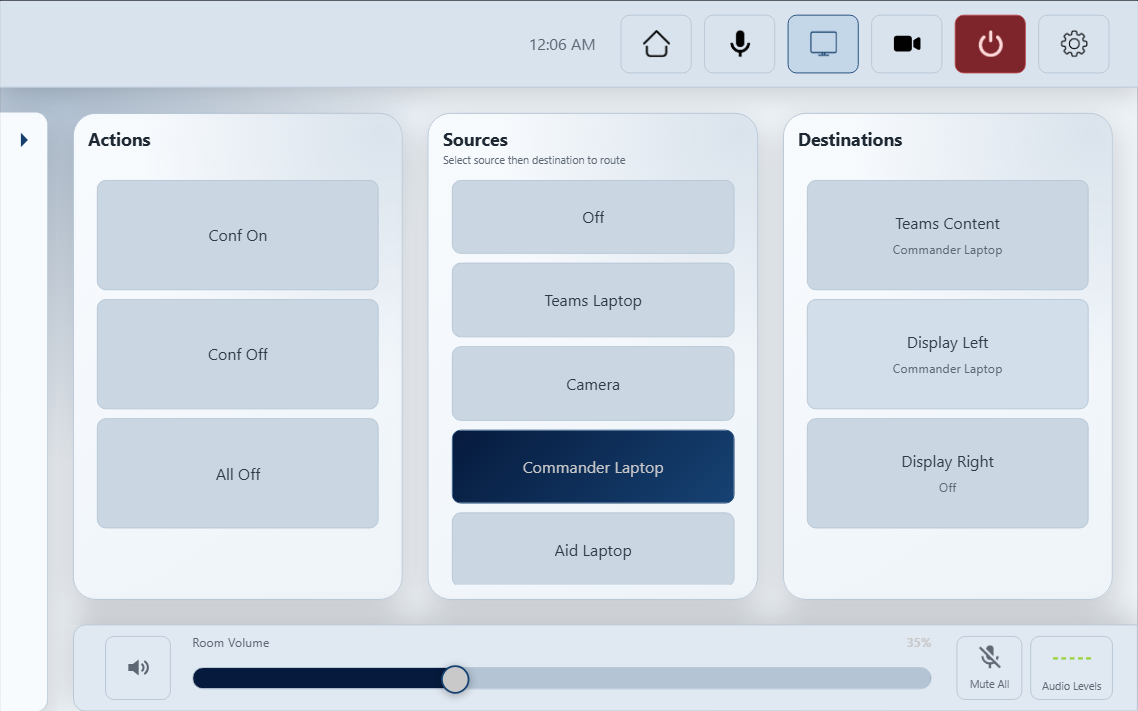
Controls in this demo
Try the source-to-destination workflow with Teams Content, Display Left, and Display Right. Use the actual Small Conference Room project interface: its home screen, Video, Microphones, Cameras, audio levels, and settings, with simulated equipment feedback.
- Source-to-display routing
- Microphone levels and audio presets
- Camera selection and presets
Original interface with simulated feedback
The Small Conference Room demo uses the actual project interface, including its home screen, routing, microphones, cameras, audio controls, and settings. Equipment feedback is simulated locally; the installed system is not connected.